Imagine sitting down to start your workday. Your monitor flickers to life, your morning coffee is steaming, but as you reach for your mouse, your hand tangles in a chaotic "birds nest" of charging cables, display cords, and peripheral wires. This isn't just a clutter problem; it’s a cognitive one. In the fast-paced world of 2026, the average modern professional manages over 10 distinct cables—from 240W USB-C power deliveries to high-speed fiber data lines—leading to a phenomenon I call "troubleshooting fatigue." When your physical environment is fractured, your focus follows suit. However, the shift toward hybrid workspaces has birthed a new era of organization that goes beyond simple plastic ties. We are entering the age of the modular cable management system, where your desk becomes a fluid, high-performance sanctuary rather than a tethered trap.
What is a Modular Cable Management System? A modular cable management system is a flexible arrangement of components, such as magnetic ties, snap-on trays, and interlocking channels, that allows users to reconfigure desk wiring without tools. Unlike static cable trays of the past, these systems adapt to evolving technology and changing hardware setups. In 2026, the gold standard for these systems is recycled aluminum desk accessories, which provide a durable, heat-dissipating, and eco-friendly alternative to traditional plastics, fitting perfectly into the sustainable, high-tech home ecosystem.
The Triple Benefit: Productivity, Safety, and Longevity
In my years reviewing smart home setups, I’ve found that the best automation routines are useless if the underlying hardware is a mess. Organizing your workspace isn't just about aesthetics; it’s about optimizing your "human-computer interface."
First, consider the psychological impact. Research suggests that an organized desktop leads to up to a 20% increase in productivity. By removing "visual noise," you reduce the subconscious stress of a cluttered environment. Second, there is the literal cost of chaos. In commercial and home-office settings, we’ve seen a 50-55% increase in the costs associated with cable-related trip-and-fall claims or equipment damage.
Finally, there is the health of your hardware. As sit-stand desks become the universal standard, "cable snagging" has become the leading cause of port damage on expensive laptops and monitors. A modular system ensures that as your desk rises, your cables move in a calculated, protected arc, preventing the tension that leads to internal wire fraying or snapped connectors.
Material Innovation: Why Recycled Aluminum is the 2026 Standard
We have officially moved past the "plastic era" of office organization. The market for sustainable desk accessories grew by 15% in 2026, driven by a professional demographic that demands longevity and environmental responsibility.
Why aluminum? Aside from being 100% recyclable, aluminum offers superior structural integrity. When you are routing heavy-duty power bricks or multiple braided cables, plastic clips often snap under the weight or lose their "spring" over time. Aluminum components, especially those found in a high-end magnetic cable management for desks, offer a "set it and forget it" durability.
Furthermore, as we move toward high-wattage charging (with some USB-C cables now pushing 240W), thermal management is key. Aluminum acts as a passive heat sink, dissipating the warmth generated by power adapters more efficiently than enclosed plastic boxes, thereby extending the lifespan of your electronics.
Spotlighting the Nomad Collection: Portability for the Fluid Worker
One of the most significant challenges of the hybrid era is the "hot-desking" dilemma. You might spend Monday in your dedicated home office, Wednesday in a corporate hub, and Friday in a transit lounge. Traditional cable management is bolted to a single desk, making it useless the moment you leave.
The Nomad Collection cable solution changes this paradigm. It treats cable management as a portable ecosystem. By using magnetic hubs that snap onto a weighted base at home but can be tossed into a tech pouch for travel, it ensures that your "perfect setup" travels with you.
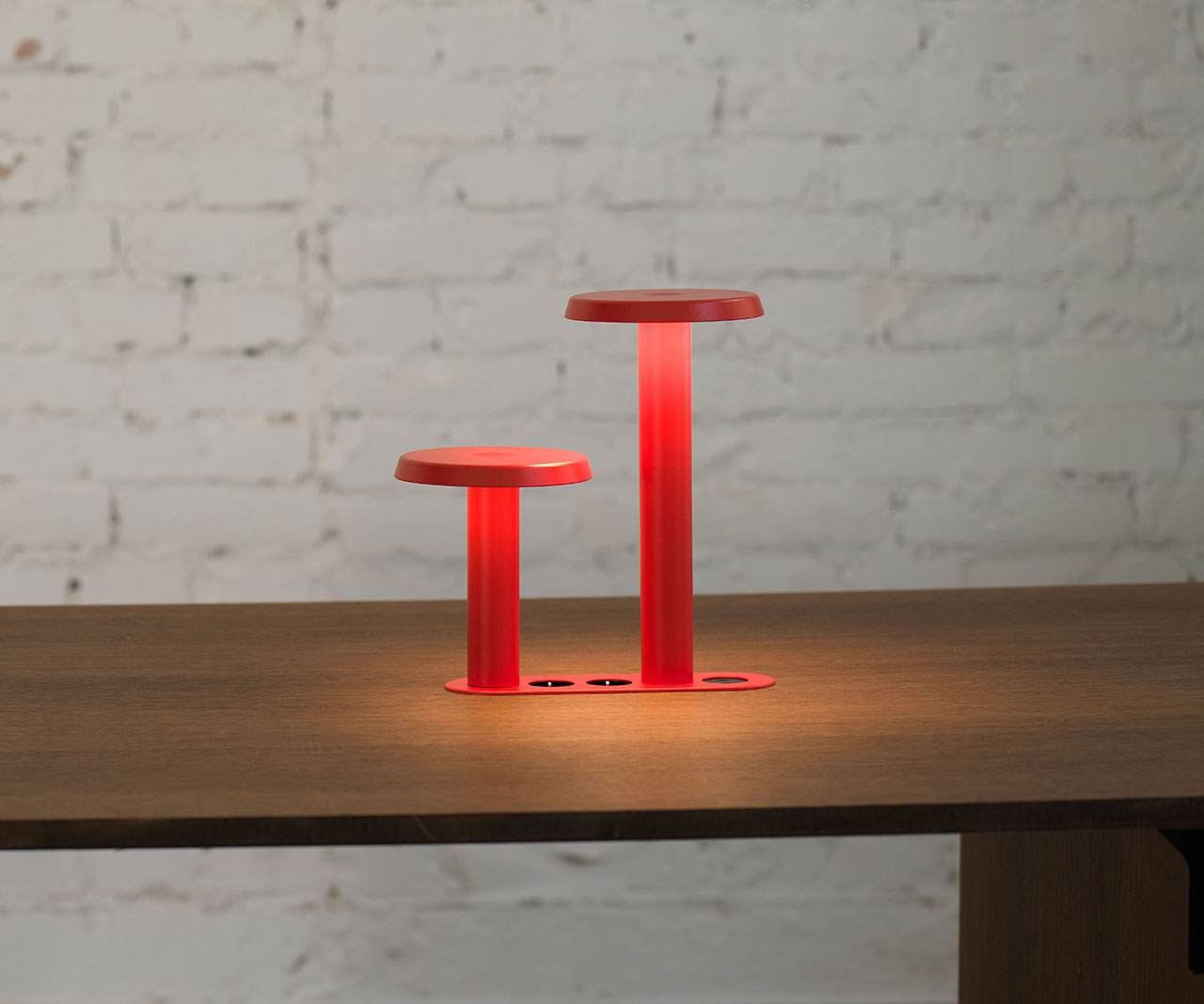
This modularity allows you to detach your primary charging and lighting components without re-threading wires or cutting zip ties. It’s a "plug-and-play" philosophy applied to the very wires that power our lives, making it the ultimate tool for the fluid worker who demands consistency across multiple locations.
The 2026 Cable Audit: A Step-by-Step Guide
If you’re ready to reclaim your workspace, don't just start pulling plugs. A systematic approach is the only way to ensure long-term success. Follow this Noah Brooks-approved audit to transition from chaos to sanctuary.
Step 1: The 'Safe Length' Calculation
Before buying a single accessory, you must model your desk’s vertical range. If you use a sit-stand desk, move it to its highest point. Measure the distance from your device ports to the floor or the wall outlet. This is your "Max Extension." Always add 10% to this number to prevent tension.
Step 2: Implementing the '8-Inch Slack Rule'
For any point where a cable must bend—such as the transition from a monitor arm to the desk surface—ensure there is exactly 8 inches of slack. This provides enough "loop" for the cable to flex without creating a loop large enough to get caught on your knees or desk hardware.
Step 3: Magnetic vs. Adhesive Solutions
Protecting premium desk finishes (like walnut or reclaimed oak) is paramount.
- Magnetic solutions: Best for steel-frame desks. They offer the highest modularity; you can slide them along the frame as your layout changes.
- Adhesive solutions: Best for wooden or glass surfaces. Ensure you use "non-marring" silicone adhesives that won't strip the finish during removal.
Step 4: Color-Coding for Rapid Troubleshooting
With 10+ cables, finding the "dead" one is a nightmare. I recommend a color-coded legend (see the table below) using modular silicone tags or colored magnetic ties.
| Cable Type | Recommended Color | Purpose |
|---|---|---|
| Power (AC) | Red / High Contrast | Critical power; do not unplug during operation. |
| Data (USB/Fiber) | Blue | High-speed peripherals and storage. |
| Charging (USB-C) | Green | Low-priority, frequently moved for mobile devices. |
| Video (HDMI/DP) | Yellow | Display connections; sensitive to signal interference. |
Advanced Technical Optimization: Signal and Heat
As a smart home editor, I often see "mysterious" tech failures that are actually caused by poor cable management. Here is how to optimize for the technical side of your hybrid workspace organization.
Signal Integrity and EMI
When you bundle high-voltage power cables tightly with unshielded data cables, you risk Electromagnetic Interference (EMI). This can lead to "ghosting" on monitors or "mysterious" VPN drops. The Noah Brooks Rule: Maintain at least 2-3 inches of separation between your main power bundles and your data/video bundles. If they must cross, have them cross at a 90-degree angle to minimize the interference field.
Thermal Management in 2026
With the rise of 240W USB-C charging, the "brick" at the end of your cable can get surprisingly hot. Do not hide these bricks inside small, unventilated plastic boxes. Use a modular cable management system with open-air aluminum trays or "breathing" mesh sleeves to ensure constant airflow. This prevents thermal throttling of your charging speed and protects your home from fire hazards.
| Feature | Basic Cable Tray | Modular Aluminum System |
|---|---|---|
| Material | Plastic / Mesh | 100% Recycled Aluminum |
| Installation | Screws / Permanent | Magnetic / Tool-free |
| Adaptability | Low (Static) | High (Reconfigurable) |
| Heat Dissipation | Poor | Excellent (Passive Heat Sink) |
| Portability | None | High (Nomad Style) |
Maintenance and Future-Proofing
Your workspace is a living entity. Hardware upgrades are inevitable. I recommend a Quarterly Cable Review. Every three months, check for:
- Tension Stress: Is a cable tighter than it was? (Often caused by moving the monitor or laptop).
- Dust Accumulation: Dust in cable bundles can act as an insulator, trapping heat. A quick blast of compressed air keeps things cool.
- Adhesive Integrity: If using adhesives, ensure they haven't "cured" to the point of becoming brittle.
Looking ahead, we are moving toward a "fully wireless-ready" setup by 2028, where even high-power delivery may happen via long-range induction. However, until that day comes, the cables we use are the lifelines of our productivity. Investing in a modular, aluminum-based system today ensures you aren't just cleaning your desk—you're future-proofing your career.
FAQ
Q: Can I use magnetic cable managers with my laptop or hard drive? A: Yes. Modern SSDs (Solid State Drives) and laptops are not affected by the relatively low-strength magnets used in cable management systems. However, keep them away from vintage mechanical hard drives or floppy disks if you’re a retro-tech enthusiast!
Q: Is recycled aluminum really better than plastic for the environment? A: Absolutely. Aluminum can be recycled infinitely without losing its properties. Producing recycled aluminum takes 95% less energy than producing primary aluminum, and it avoids the microplastic degradation issues associated with cheap cable clips.
Q: My desk is made of glass; can I still use a modular system? A: Yes, but you will rely on high-quality adhesive "anchor points." Look for systems that provide a "base plate" that adheres to the glass, allowing the modular magnetic components to snap onto that plate.
Conclusion: An Investment in Mental Clarity
At the end of the day, cable management isn't about hiding wires; it’s about mastering your environment. By choosing a modular cable management system made from recycled aluminum, you are making a statement about your values: you value precision, you value sustainability, and you value your own mental well-being.
When you eliminate the "visual noise" of a tangled workspace, you clear the path for your best work to emerge. Don't let a $20 cable trip up a $2,000 career. Take the time to audit, organize, and optimize. Your future self—and your hardware—will thank you.