How do I add smart locks, sensors, and lights to a rental without damaging the walls or violating my lease?
A renter-friendly smart home is fully possible in 2026 if you stick to no-drill, no-rewire, portable, reversible, and ecosystem-agnostic devices. Here is the kit that actually moves with you.
Yes — you can build a useful smart home in a rental without drilling holes or swapping switches, as long as every device you buy is portable, reversible, and works with Matter. Focus on smart plugs, Matter bulbs, wireless battery switches, retrofit smart locks, clamp-on curtain motors, battery doorbells, and adhesive-mounted sensors. Read your lease first, photograph everything before you touch it, and keep the original parts in a labeled bag for move-out.
Start with the five rules every renter device has to obey
Before you buy anything, set the constraints. A renter-friendly smart home stack is different from a homeowner stack because every device has to meet all five of these rules: no drilling (adhesive mounts, clamps, or existing screw holes only); no rewiring (no neutral-wire work, no switch swaps); portable (it has to come with you when the lease ends); reversible (pull the tape, unclip the clamp, hand the keys back with no trace); and ecosystem-agnostic (you don't know what platform the next apartment will use, so pick Matter and hedge the bet). If a product fails any of those, treat it as a homeowner product and skip it.
Build the foundation: go hub-less, or pick a tiny hub
Most renter setups don't need a separate hub at all. A large share of the new Matter hardware — smart plugs, bulbs, sensors, even cameras — runs on Matter-over-Wi-Fi, which pairs directly to Apple Home, Google Home, Amazon Alexa, or SmartThings with nothing more than your phone and a QR code. If you have fewer than 10 devices, this is the easiest path.
If you want Thread devices (low-power mesh that handles battery sensors beautifully), you need a Thread Border Router somewhere in the apartment. Good news: a lot of things already are one. A HomePod mini, Apple TV 4K, Echo Hub, Nest Hub (2nd gen), or SmartThings Station quietly act as Thread Border Routers without any setup. If none of those is in the apartment and you want a dedicated box, the Aqara Hub M100 is the most renter-friendly option — USB-A powered, about the size of a stick of gum, Wi-Fi 6, and acts as both a Thread Border Router and a Matter controller for up to 20 Thread devices.
The Apple HomePod (2nd Generation) doubles as a Matter hub and Thread Border Router, so a renter who already owns one doesn't need to buy extra hardware.
Lighting: smart plugs first, bulbs second, never the wall switch
The common wisdom is that smart lighting means swapping wall switches. That's the homeowner answer. For renters, there are three cleaner options that leave the wiring untouched.
Pick the renter lighting path that fits the room
01
Smart plugs for lamps (zero-thought option)
Any lamp you own becomes a scheduled, voice-controlled light with a $17 plug. The TP-Link Tapo P125M is Matter-certified, 15A / 1800W, hub-free setup via Bluetooth and a QR code, and small enough that you can still use the outlet above it. Pair it with a contact sensor on your front door and you have an automation that turns on the living-room lamp when you come home — the whole loop costs about $40.
02
Smart bulbs when you need color or dimming
If the apartment came with an awful cool-white LED downlight, a color-changing Matter bulb is the fix. Philips Hue, Nanoleaf Essentials, and Govee all ship E26/E27 and GU10 bulbs that screw into existing fixtures and work with Matter or HomeKit. If you only care about one room and want zero extra hardware, Nanoleaf Essentials bulbs with Matter-over-Thread commission in seconds and don't need a bridge.
03
Wireless battery switches instead of rewiring
Smart bulbs on a physical wall switch are useless — cut the power and they're as dumb as a rock. Instead, leave the wall switch permanently on and stick a battery-powered wireless button next to it. The Aqara Wireless Mini Switch is magnetic, three-action, and runs for a year on a coin cell. Philips Hue's Smart Button and IKEA's Rodret do the same job inside their own ecosystems. Tape it to the wall, peel it off on moving day.
Smart locks: retrofit, never replace
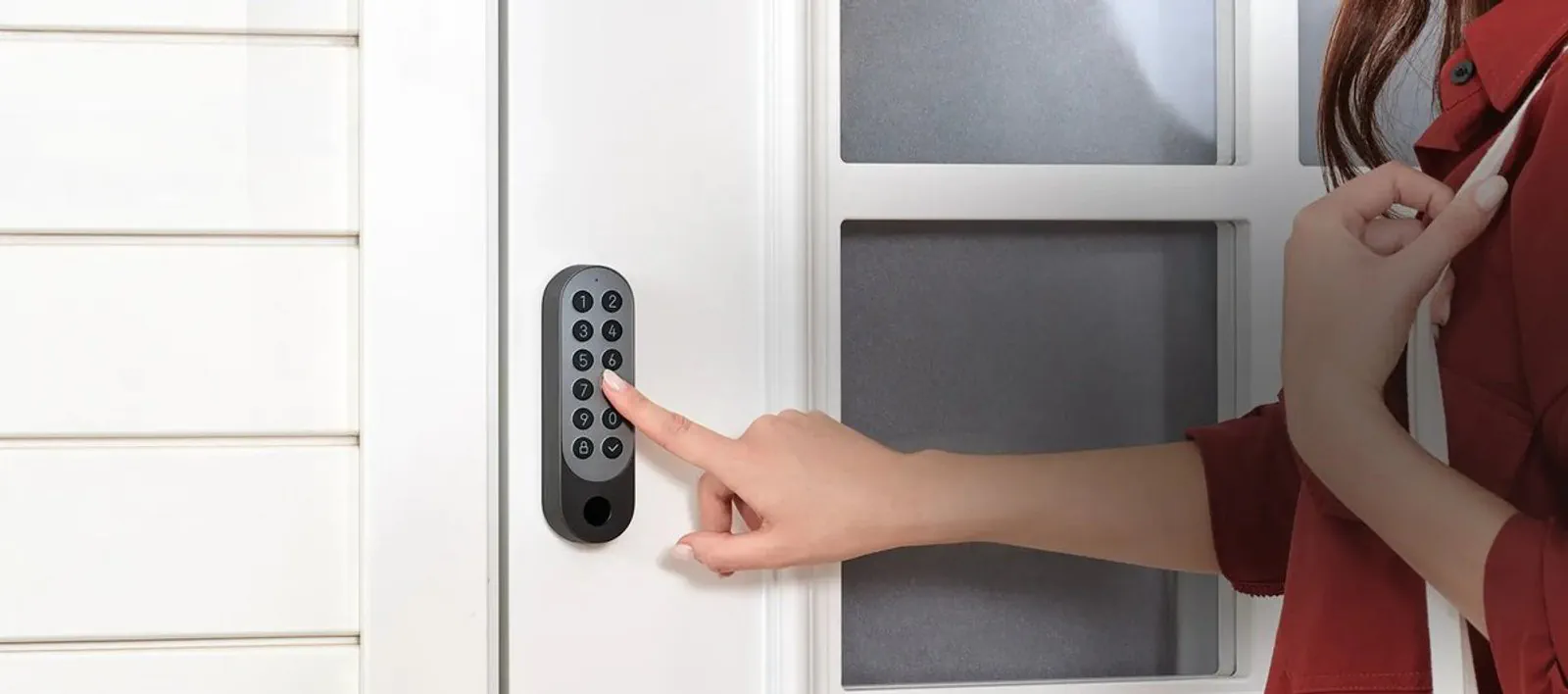
A smart lock feels like the last thing a renter should touch. In reality, retrofit locks are the best-in-class renter devices — they install with a screwdriver, keep your existing deadbolt and key, and pop off cleanly. There are two schools of thought, and the right one depends on whether you care more about features or about how the door looks from outside.
Two retrofit smart locks that don't require a new deadbolt
Aqara Smart Lock U200
Level Lock Pro
Mounting
Clamps onto the interior side of existing deadbolt; keypad on the exterior
Hides entirely inside the deadbolt; door looks unchanged from outside
Connectivity
Matter over Thread, plus Apple Home Key
Matter over Thread, plus Apple Home Key
Power
Rechargeable battery, months per charge
Single CR2 battery, up to a year
List price
~$250 (often $200–$216 on promo)
Pricier than the U200
Renter tradeoff
Exterior keypad changes the look of the door
Only fits standard 2-3/8" or 2-3/4" US backsets; needs a Thread Border Router
Curtains, blinds, doorbells, and cameras — all without holes
Retrofit options that don't touch the building
Curtain clip motors (SwitchBot Curtain 3, ~$60–$90) clamp to your existing rod or track, grip the curtain itself, and crawl along when triggered. Optional solar panel eliminates battery swaps on sunny windows. Not silent, but genuinely renter-proof.
Curtain track drivers (Aqara Curtain Driver E1) attach to the top of existing tracks and pull the curtain on a string. Quieter than clip motors, but only work with proper tracks, not rods, and they need an Aqara hub to expose them to Matter.
Battery doorbells that don't need existing chime wiring — the Aqara Smart Video Doorbell G4 runs on six AA batteries for up to four months, comes with a plug-in wireless chime, and supports HomeKit Secure Video with no subscription. Around $90 retail, often closer to $60 on sale.
Indoor cameras (Blink Mini 2, Wyze Cam v4, Aqara Camera E1) are USB-powered and just sit on a shelf. Avoid anything that demands an exterior cable run.
Outdoor cameras (Blink Outdoor 4, Eufy SoloCam) stick to walls with 3M VHB mounts and don't need holes. Test the adhesive at the one-month mark — don't expect them to survive two monsoon seasons on tape.
The Aeotec Smart Home Hub runs SmartThings, supports Matter and Thread, and works with Zigbee and Z-Wave devices — useful if you want one app to control mixed-brand gear across rooms.
Sensors: the quiet magic, and almost all renter-friendly by default
The quiet magic of a smart home is sensors — devices that trigger automations without you pushing anything. Almost all of them are battery-operated and renter-friendly by default. The Aqara Presence Sensor FP1E is the best value in mmWave presence detection at around $50, detecting a person sitting still (down to chest rise of breathing), which passive infrared sensors cannot. It's USB-C wired, so you need an outlet nearby, but no drilling. Add water-leak sensors under the sink and behind the washing machine, contact sensors on every door and window, and a smoke/CO listener near the bedroom, and you have a sensor suite that travels with you in a shoebox.
Move-out checklist: leave the apartment exactly as you found it
✓
Photograph the original setup before installing anything
Door frame, switch plates, outlet covers, curtain rod, doorbell location. Date-stamped photos are your best defense against a deposit dispute.
✓
Keep every original part in a labeled bag
Lock screws, switch plates, mounting hardware, blanking plates. Landlords notice missing originals more than added holes.
✓
Remove every device on or before lease end
Pull adhesive mounts slowly with a hair dryer on low heat to avoid paint peel. Test any 3M VHB mount at the one-month mark and re-secure if it loosens.
✓
Reset every device to factory defaults
Especially locks, cameras, and doorbells — wipes your accounts off the hardware before the next tenant gets it.
✓
Patch any unavoidable marks with a small paint sample
Ask your landlord for the wall paint code at move-in; keep a touch-up jar in your move-out kit.
The Echo Dot (5th Gen) is the cheapest Matter-capable hub for renters — small enough to pack, supports voice control, and pulls dual use as a Wi-Fi extender if you have an eero mesh.
A starter kit under $400 that moves in a moving box
If you want one bundle to start with, this is the minimum useful kit: a $17 Tapo P125M smart plug for the living-room lamp, a $50 Aqara Presence Sensor FP1E in the entryway, a $90 Aqara Smart Video Doorbell G4 at the front door, a $200 Aqara Smart Lock U200 on the deadbolt, and a $60 SwitchBot Curtain 3 on the bedroom window. Total: roughly $400–$420. Every item is portable, reversible, and Matter-native. When you move, the whole kit fits in one box, the apartment looks exactly as you found it, and you set it back up in the next place in an afternoon.
SUMMARY
The bottom line
A rental does not lock you out of a useful smart home — it just changes the rules. Stick to no-drill, no-rewire, portable, reversible, Matter-native devices, and you can get 90% of the homeowner experience without risking your deposit. Read your lease first, photograph everything before you touch it, keep original parts in a labeled bag, and the entire kit will pack into a single box on moving day.
Common questions
Before you move on
Do I need a smart home hub to set this up in a rental?+
Not necessarily. Most Matter-over-Wi-Fi devices (smart plugs, bulbs, sensors, cameras) pair directly to Apple Home, Google Home, Alexa, or SmartThings with a QR code and your phone — no extra hardware. You only need a hub if you want Thread devices, and in that case something you may already own (HomePod mini, Apple TV 4K, Echo Hub, Nest Hub 2nd gen, SmartThings Station) likely already acts as a Thread Border Router.
Will a smart lock violate my lease?+
It depends on the lease language. Many leases restrict modifications to the entry door, including swapping the deadbolt or installing exterior hardware. A retrofit lock that clamps onto the interior side of your existing deadbolt and keeps your original key is usually less of a concern, but check with your landlord in writing before you install anything on the front door.
Are adhesive mounts safe on painted walls?+
Command strips and 3M VHB tape are generally safe on most modern apartment paint, but they can peel paint on older or freshly painted walls. Test a small piece at the one-month mark, and remove mounts slowly with a hair dryer on low heat when you move out. Keep a small jar of touch-up paint that matches the wall color.
What happens to my smart devices when I move out?+
If you bought portable, reversible devices, you take them with you. Photograph the original setup before installing anything, keep every original screw and plate in a labeled bag, reset every device to factory defaults on move-out, and patch any unavoidable marks with touch-up paint. The kit should pack into one box.