Quick Facts
- The Artist: Jason Ting, a New Haven-based new media artist known for his "Daily Sketches" project (2,000+ creations since 2020).
- The Medium: Generative art—visuals created through custom algorithms and real-time coded animations.
- The Aesthetic: "Hypnoglow," a dreamy, shifting colorscape of evolving gradients and organic forms.
- The Exclusive: A free high-resolution download provided via the Design Milk "Designer Desktop" series.
- Compatibility: Optimized for Desktop (up to 2560x1440), iPhone XS/Max, and iPad Pro.
While we often spend weeks debating the perfect shade of sage for a living room wall or the precise texture of a linen throw, we frequently overlook the most-viewed "surface" in our modern lives: our digital screens. As an editor, I’ve always believed that your workspace isn’t just defined by your desk’s wood grain or your ergonomic chair; it’s defined by the light and color emanating from your monitor. As we look toward the design trends of 2025, the move toward "digital hygge"—creating a tech environment that feels soft, meditative, and intentional—has never been more relevant.
This month, we are refreshing our digital ecosystem with a breathtaking contribution from new media artist Jason Ting. His "Hypnoglow" wallpaper isn't just a static image; it is a frozen moment of a living, breathing algorithm. It offers a sophisticated, minimalist alternative to the cluttered, high-contrast wallpapers of the past, bringing a sense of "Aura" and tranquility to your daily workflow.
Who is Jason Ting? The Artist Behind the Code
To truly appreciate the "Hypnoglow" aesthetic, one must understand the man behind the math. Jason Ting is a New Haven-based artist whose work sits at the fascinating intersection of creative coding and visual poetry. Since launching his "Daily Sketches" project in 2020, Ting has committed himself to an expansive body of work, producing over 2,000 unique explorations of light, motion, and form.
Unlike traditional painters who use brushes, Ting uses code as his primary medium. He writes algorithms that generate visual outputs, often allowing for a degree of randomness that results in "unexpected and beautiful new worlds." His process is a dialogue between human intent and computer logic. By setting parameters for how light should bend or how colors should bleed into one another, he creates "coded animations" that feel startlingly organic.
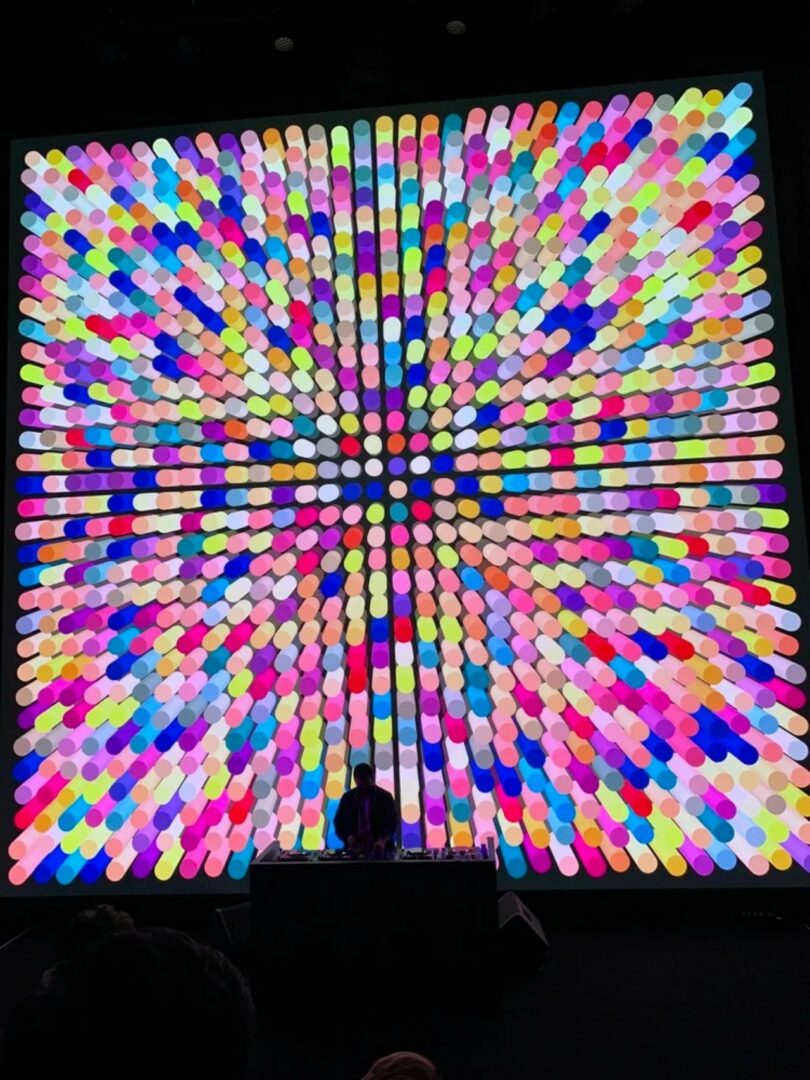
Ting’s evolution from static digital art to immersive, large-scale installations has made him a favorite in the new media art scene. His sketches are not merely experiments; they are meditations on how technology can evoke emotion. When you place his work on your desktop, you aren't just looking at a screensaver—you’re interacting with a piece of art that has been refined through years of daily practice and thousands of iterations.
Inside 'Hypnoglow': More Than Just a Background
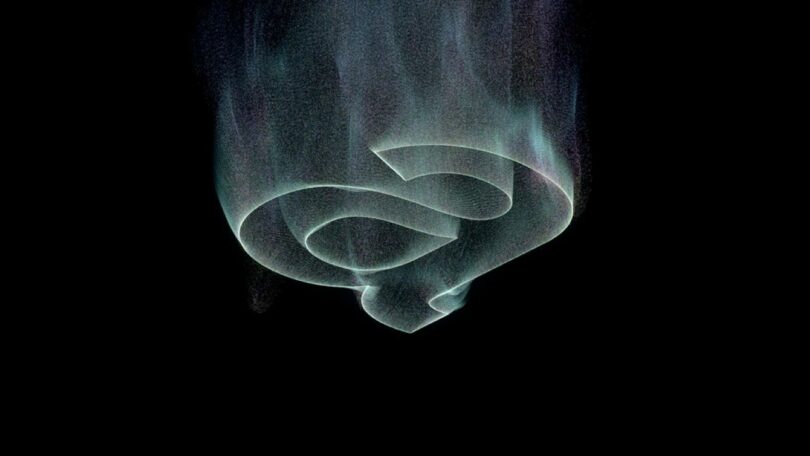
The "Hypnoglow" series is particularly special. It represents a snapshot of a real-time motion experiment, capturing the essence of shifting gradients and lucid, dream-like forms. If you were to watch the original code run, you would see these colors pulsing and flowing like liquid light. For the "Designer Desktop" series, Ting has captured a moment of perfect equilibrium—a balance of soft magentas, ethereal blues, and warm ambers.
Generative art like "Hypnoglow" serves a specific purpose in a modern interior. In a world of sharp edges and high-definition stress, these blurry, soft-focus gradients act as a visual "palate cleanser." The aesthetic borrows from the "Aura" photography trend but elevates it through the precision of creative coding. It’s a way to bring new media art wallpapers into the home without needing a projector or a dedicated gallery space.
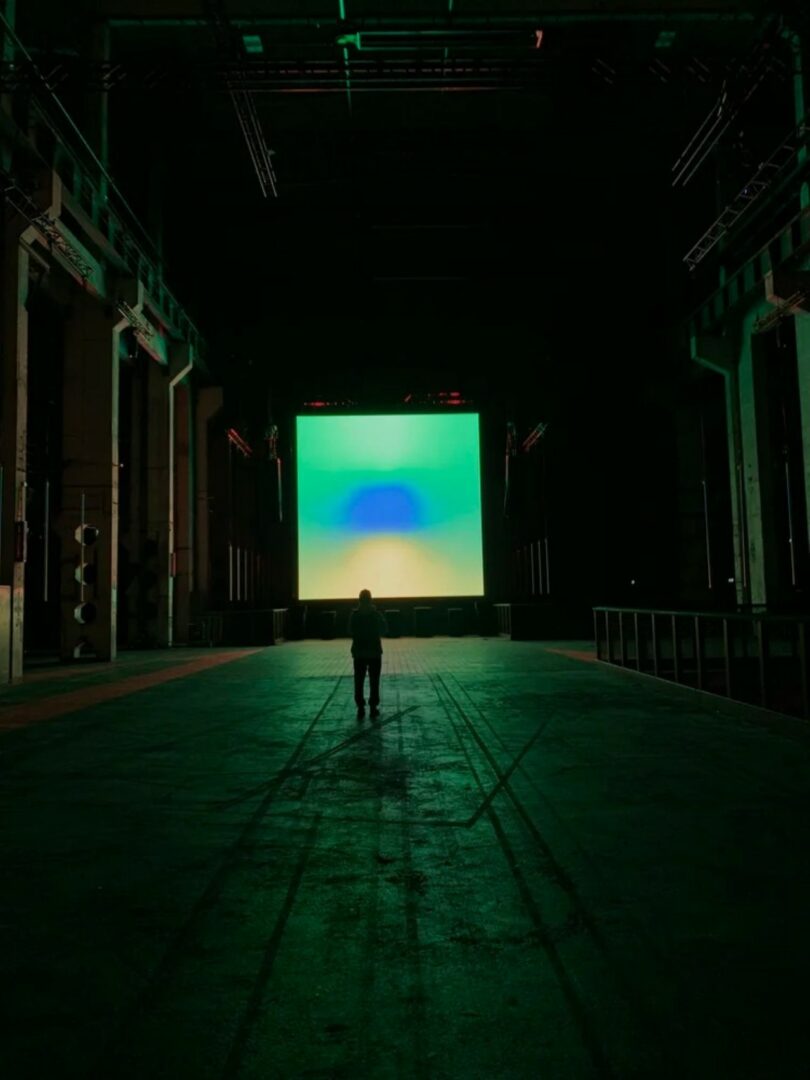
Download Your Free Hypnoglow Wallpapers
Through the Design Milk "Designer Desktop" initiative, which curates 12 unique artist collaborations annually, this high-end art is available to everyone. It’s a 100% free digital art download designed to help modern tech users elevate their aesthetic.
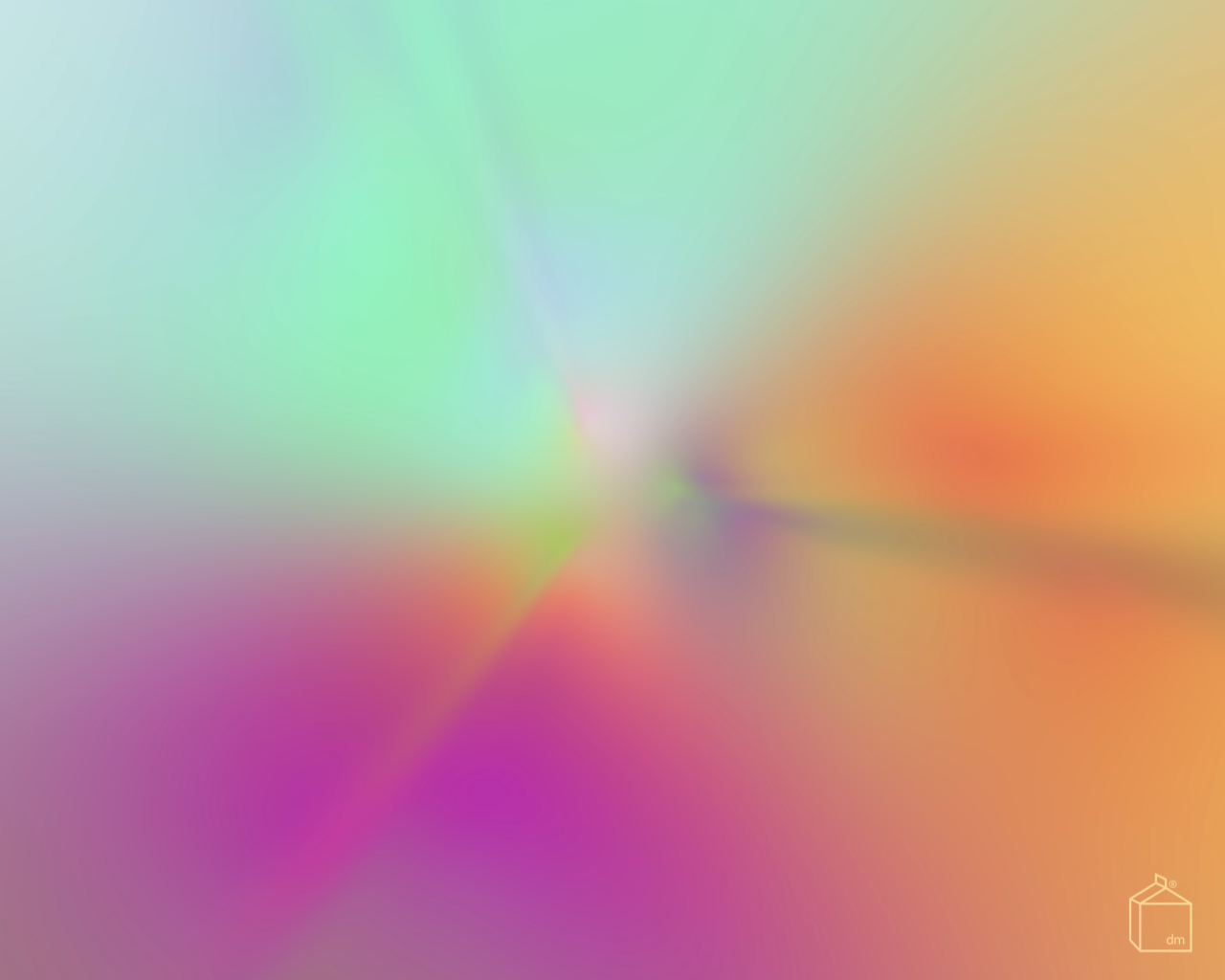
Whether you are working on a high-end 5K monitor or checking your schedule on the go, there is a resolution tailored for your device. Use the table below to find the perfect fit for your setup:
| Device Type | Resolution / Model | Download Link Recommendation |
|---|---|---|
| Desktop (Standard) | 1280x1024 / 1680x1050 | Ideal for smaller monitors and laptops |
| Desktop (High-Res) | 1900x1200 / 2560x1440 | Perfect for iMacs and 4K displays |
| iPhone | iPhone XS / iPhone XS Max | Optimized for OLED mobile screens |
| Tablet | iPad Pro | High-density pixels for creative tablets |
Ivy's Style Tip: When setting your wallpaper, try hiding your desktop icons or moving them into categorized folders. A minimalist art piece like "Hypnoglow" loses its power when buried under a mountain of .pdf and .jpg files. Treat your screen like a curated gallery wall.
Styling Your Minimalist Workspace with Generative Art
As an editor specializing in room makeovers, I always look at how a digital asset interacts with the physical room. The vibrant gradients of Jason Ting’s work pair exceptionally well with the "Minimalist Warmth" trend of 2025. Here is how I would style a desk around this specific wallpaper:
- Hardware Harmony: Match the ethereal glow of the screen with minimalist hardware. Think matte silver aluminum (like an Apple Studio Display) or a white-oak desk surface. The soft light of "Hypnoglow" reflects beautifully off natural wood grains.
- Lighting as Decor: To enhance the "Hypnoglow" effect, consider adding a smart LED light strip behind your desk or monitor. Set it to a soft peach or a deep indigo to extend the wallpaper’s colors onto your physical wall. This creates an "immersive glow" that reduces eye strain and looks incredibly sophisticated at night.
- Holographic Accents: Generative art pairs wonderfully with iridescent and holographic textures. A simple acrylic desktop organizer or a piece of dichroic glass art can echo the "shifting" nature of Ting's digital code.
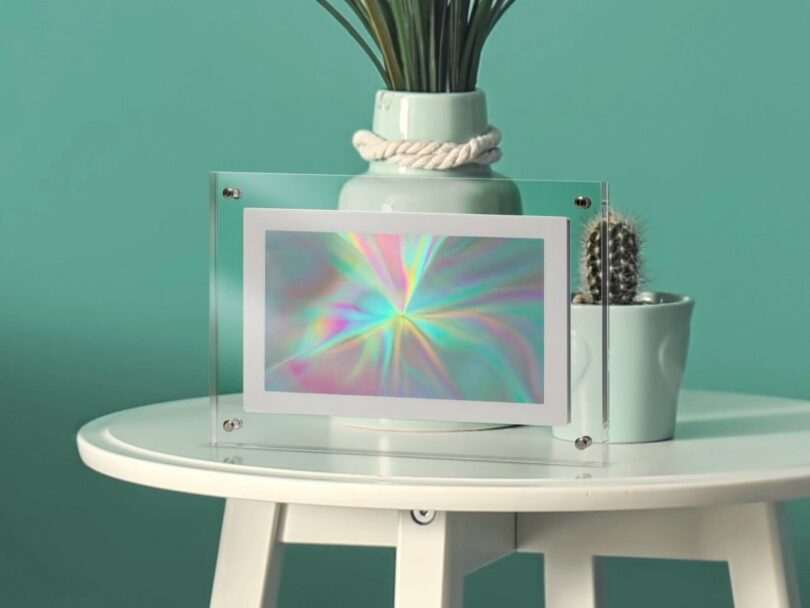
By transitioning from static "scenery" photos to abstract color-scapes, you are effectively reducing visual clutter. Our brains process abstract shapes and gradients more easily than complex, detailed photographs, leading to a calmer, more focused working environment.
FAQ
What exactly is "Generative Art"? Generative art refers to any art practice where the artist uses a system—such as a set of natural language rules, a computer program, a machine, or other procedural inventions—which is set into motion with some degree of autonomy, resulting in a completed work of art. In Jason Ting's case, he uses custom-written code to create these visuals.
Will these wallpapers work on Android or Windows devices? Absolutely. While the resolutions are specifically named after Apple products (like the iPhone XS Max or iPad Pro), the aspect ratios and high-resolution JPEG files are universal. Simply select the resolution that most closely matches your screen size.
How often does the Designer Desktop series release new art? The series is a monthly initiative, meaning you can expect 12 unique collaborations every year. It’s a fantastic way to keep your digital space feeling fresh and connected to the global art community.
Transform Your Digital Environment
Refreshing your workspace doesn't always require a trip to the furniture store. Sometimes, all it takes is a new perspective—and a new wallpaper. By downloading Jason Ting’s "Hypnoglow," you’re not just changing a background; you’re supporting the intersection of technology and art. Let your screen be a source of inspiration rather than just a tool for work.
Ready for more design inspiration? Explore our latest guides on [Minimalist Desk Accessories] and [The Best Smart Lighting for Home Offices].